Table of Contents
- Step 1: Define AI Literacy and Set Clear Learning Outcomes
- Core Components of AI Literacy for High School Students
- Step 2: Build AI Ethics Lesson Plans for High School That Spark Debate
- Addressing Algorithmic Bias and Social Impact
- Step 3: Introduce AI Prompt Engineering for Students
- Step 4: Choose the Best AI Tools for Classroom Assessment
- Integrating Tools Without Compromising Academic Integrity
- Step 5: Learn How to Detect AI-Generated Student Work
- Step 6: Design Assessments and Rubrics That Reward Critical Thinking
- Step 7: Ensure Accessibility, Equity, and Parental Engagement
- Conclusion
*Last Updated: September 19, 2026*
Step 1: Define AI Literacy and Set Clear Learning Outcomes
AI literacy is the ability to understand, evaluate, and responsibly use artificial intelligence tools and systems. It combines technical knowledge, critical thinking, and ethical judgment. This guide from Classroom Writer breaks down exactly how to teach AI literacy in high school classrooms, step by step.
It has three parts:
- How AI works, basic machine learning ideas, model training, and why outputs can be wrong
- How to use it well, prompt engineering, fact-checking, and responsible use
- How to judge it, spotting algorithmic bias, hallucinations, and ethical problems
Core Components of AI Literacy for High School Students
The core components map to Bloom's taxonomy. Students should define key terms, compare AI outputs, and evaluate AI-generated content for bias.
Step 2: Build AI Ethics Lesson Plans for High School That Spark Debate
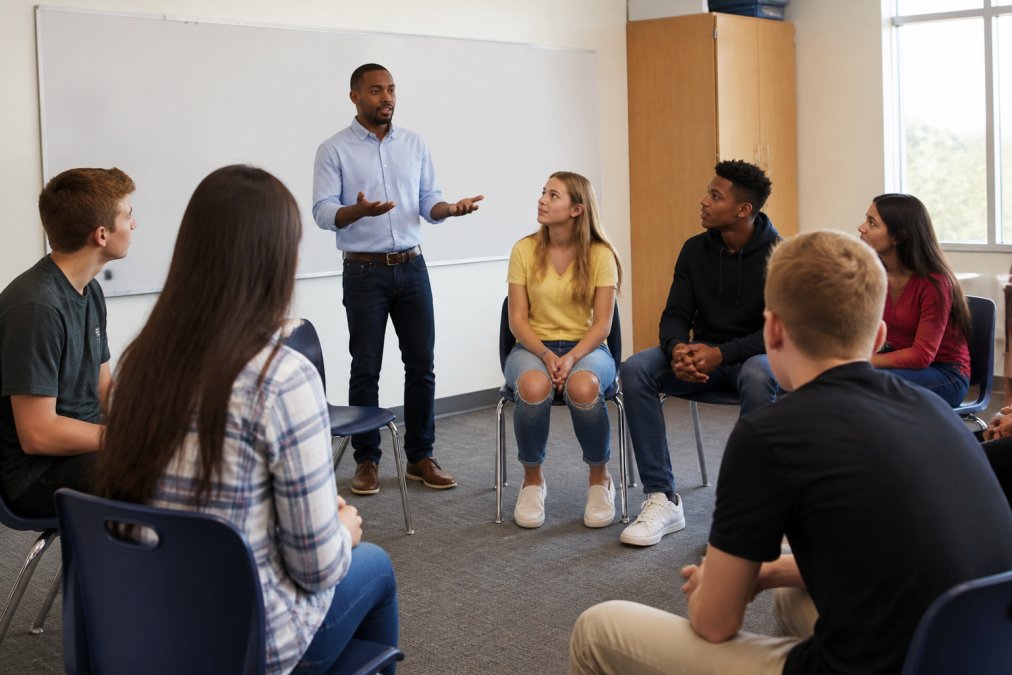
Strong AI ethics lesson plans for high school start with a real dilemma, not a lecture. Give students a case and let them argue.
Try this structure:
- Present a scenario (a hiring algorithm rejects more women than men)
- Split the class into groups
- Ask each group to name who is responsible
- Close with a short written reflection
Addressing Algorithmic Bias and Social Impact
Algorithmic bias happens when a model learns patterns from biased data. Teach it with examples students already know, like facial recognition failing on darker skin tones.
Step 3: Introduce AI Prompt Engineering for Students
AI prompt engineering for students is the practice of writing clear, specific instructions that get useful results from a tool like ChatGPT or Claude. It is a teachable skill, not a talent.
Start with a weak prompt: "Write about climate change." Then improve it together:
- Add a role: "You are a science journalist"
- Add a format: "Write three paragraphs with one statistic each"
- Add a constraint: "Use language a 14-year-old understands"
Step 4: Choose the Best AI Tools for Classroom Assessment
Tool selection is where most AI literacy units quietly fail. A tool that looks great in a demo can collapse under a district's data-privacy review, a 1:1 Chromebook rollout, or a 30-student class sharing six iPads. Treat selection as a procurement decision, not a curiosity.
Start with four non-negotiables before you look at features:
- Data handling. Does the vendor train on student inputs? Where is data stored, and for how long? Under FERPA, student work is an education record, and under COPPA, students under 13 need verifiable parental consent for many tools. Most districts also require a signed Data Privacy Agreement (DPA) before a tool touches student accounts.
- Age gating. Many general-purpose chatbots require users to be 13+ or 18+ under their terms of service. Check the actual terms, not the marketing page.
- Teacher visibility. Can you see the prompts students send, or only the final output? Prompt visibility is what makes process-based grading possible.
- Exit and export. If you switch tools next year, can you export student work in a usable format?
A Practical Evaluation Scorecard
Score each candidate tool 1-5 on these rows. Anything below a 3 on privacy or teacher visibility is a disqualifier, not a trade-off.
| Criterion | What to Check | Red Flag |
|---|---|---|
| Privacy & compliance | Signed DPA, FERPA/COPPA alignment, data-retention policy | "We may use inputs to improve our models" in the ToS |
| Age eligibility | Minimum age stated in terms of service | No stated minimum, or a minimum above your grade band |
| Teacher visibility | Full prompt-and-response log per student | Only final answers visible |
| Content control | You author or edit questions and rubrics | Auto-generated questions you cannot modify |
| Integration | Works with your LMS (Canvas, Schoology, Google Classroom) | Requires a separate login students will lose |
| Cost model | Free tier sufficient for your unit, or a clear per-seat price | Free tier that expires mid-semester |
| Accessibility | Screen-reader support, keyboard navigation, adjustable text | Chat-only interface with no export |
Categories of Tools You Will Actually Use
Rather than naming a single winner, build a small toolkit across four categories:
- General-purpose chatbots (e.g., ChatGPT, Claude, Gemini, Mistral) for prompt-engineering practice and critique exercises. Use the free tiers; do not require paid accounts for homework.
- Writing and assessment spaces that log prompts alongside drafts, so you can grade the process.
- Detection and provenance tools, useful as one signal, never as proof. Treat every flag as a conversation starter.
- Subject-specific tools such as coding assistants for CS classes or image generators for art and media units, used with the same privacy screen.
The District-Approval Workflow
Most teachers cannot adopt a tool alone. A realistic path looks like this:
- Run a 2-week pilot with one class and one tool.
- Document what worked, what broke, and what students did with it.
- Bring the scorecard above to your instructional technology coordinator or library media specialist, they usually own the DPA process.
- Get the tool added to the district's approved list before you build a unit around it.
Integrating Tools Without Compromising Academic Integrity
Integrity comes from design, not policing. If students can use AI inside a space where prompts and drafts are visible, you can assess the process, not just the final answer. That beats guessing after the fact, and it removes the incentive to hide AI use, because using it well is what earns credit.
Step 5: Learn How to Detect AI-Generated Student Work
No detector is reliable on its own. Learning how to detect AI-generated student work means using several signals together, not one tool.
Look for:
- A sudden jump in vocabulary or sentence structure
- Generic phrasing with no personal detail
- Confident claims with no sources
- Answers that miss your specific prompt
Step 6: Design Assessments and Rubrics That Reward Critical Thinking
This is the section most AI literacy guides skip, and it is the one that changes your classroom the fastest. A rubric that rewards the thinking behind AI use, not the polish of the output, flips the incentive structure. Students stop hiding AI and start documenting it.
A Ready-to-Adapt Four-Point Rubric
Use this as-is or trim it to three rows for shorter assignments. The scale is 4 (exemplary) to 1 (beginning).
| Criterion | 4, Exemplary | 3, Proficient | 2, Developing | 1, Beginning |
|---|---|---|---|---|
| Prompt quality | Prompt is specific, includes role, format, and constraints; student shows at least one revision with reasoning | Prompt is specific and revised once | Prompt is vague or unrevised | No prompt submitted, or prompt is a single word |
| Source verification | Every AI-generated claim is checked against at least two independent sources; errors are corrected and noted | Most claims are verified; one or two unchecked | Some verification, but errors remain in the final draft | AI output is accepted without verification |
| Original thinking | Student adds analysis, counterarguments, or personal evidence that the AI did not produce | Student extends AI output with their own examples | Student lightly edits AI output | Student submits AI output unchanged |
| AI disclosure | Clear, specific disclosure of which tool, which prompts, and which parts of the work were AI-assisted | General disclosure of AI use | Vague or partial disclosure | No disclosure |
How to Weight It
For a research paper or essay, weight original thinking at 40%, source verification at 25%, prompt quality at 20%, and disclosure at 15%. For a shorter formative task, drop prompt quality and weight original thinking at 60%. The weights matter less than the message: process is graded, not just product.
Worked Example: Two Students, Same Assignment
Student A submits a polished 800-word essay on climate policy. The prose is clean, the structure is tidy, and there are no citations. When asked to explain a key paragraph, the student cannot say where the statistic came from. Score: 1s and 2s across the rubric.
Adapting the Rubric by Subject
- STEM: Add a row for "unit and dimensional accuracy", AI tools frequently drop or misstate units, and catching that is a real skill.
- Humanities: Add a row for "source quality", did the student distinguish a primary source from a summary of one?
- World languages: Add a row for "register and idiom", AI translations often sound stilted, and noticing that is part of the learning.
- Arts and media: Add a row for "attribution and transformation", did the student build on AI-generated material in a way that is clearly their own?
Pair the Rubric With a Process Log
ISTE Standards for Students frames this as "computational thinker" and "creative communicator", useful language if you need to align your rubric to district standards.
Step 7: Ensure Accessibility, Equity, and Parental Engagement
Equity matters because not every student has the same access at home. Some share a device. Some have no reliable internet. Design for the lowest common denominator.
- Offer offline options for every AI task
- Never require a paid account for homework
- Provide screen-reader-friendly materials
- Pair students so no one is left behind
---
Frequently Asked Questions
What are the core components of AI literacy for high school students?
AI literacy for high school students covers four main areas: how AI systems work (machine learning basics, model training), critical evaluation of AI-generated content (spotting hallucinations and algorithmic bias), ethical engagement (data privacy, academic integrity, social impact), and practical skills like prompt engineering. Students also need to understand digital citizenship, information literacy, and the limits of AI tools. These components build future-readiness and responsible use across all subjects.
How can teachers integrate AI tools without compromising academic integrity?
Start by defining acceptable use in your AI policy: which tools are allowed, for which tasks, and how students must disclose AI assistance. Use focused writing spaces and in-class assessments for work that measures individual skill. For take-home assignments, design prompts that require personal reflection or real-world data AI cannot fabricate. Classroom Writer supports this by letting teachers control assessment content and review student work inside a structured environment, so you can see the process, not just the final product.
How do you teach students to identify AI bias and misinformation?
Give students side-by-side examples of AI-generated content on the same topic and ask them to find factual errors, missing perspectives, and loaded language. Teach fact-checking routines: cross-reference claims with primary sources, check publication dates, and look for citations AI often invents. Discuss how algorithmic bias enters through training data. Role-play exercises where students audit an AI response for bias build bias detection skills faster than lectures alone.
What are the best AI tools for classroom assessment in high school?
The best AI tools for classroom assessment let teachers control content, integrate with existing workflows, and support academic integrity. Look for platforms that provide clear review processes and work with AI platforms like ChatGPT and Claude without forcing AI use. Classroom Writer offers focused writing and assessment spaces with user-defined content, so teachers can create structured evaluations while maintaining full control over what students see and submit.