
Why Online Testing Creates More Distraction Than In-Person Exams
Managing student distraction during online testing starts with an uncomfortable fact: the online classroom removes every physical cue that kept students on task in an exam hall, no invigilator, no rustle of papers, no bell. What remains is a browser full of open tabs, a phone face-up on the desk, and a notification queue built to win attention.
The cognitive load of online testing is higher than most schools assume. Students juggle the assessment interface, a timer, a webcam or proctoring window, and external stimuli, all while retrieving and applying knowledge, and each demand competes for the same limited working memory the exam needs.
That competition has a measurable cost. Research on media multitasking in academic settings, including work summarised by the American Psychological Association, consistently links task-switching during study and testing to lower focus retention and weaker learning outcomes.
So the real question isn't whether students get distracted. It's which distractions you can design out of the test before the first question appears.
The Unique Cognitive Load of the Virtual Learning Environment
An online exam asks a student to hold three things in mind: the content, the platform mechanics, and the pressure of being watched. In-person exams collapse the last two into one familiar routine.
That's why the most effective intervention strategies for online testing reduce platform friction first: a clean workspace with one question, one timer, and one submit button removes decisions that eat into time-on-task.
- Interface complexity forces students to think about the tool instead of the question
- Unfamiliar navigation creates hesitation that looks like confusion but is really design friction
- Constant monitoring indicators raise test anxiety, which itself reduces focus retention
The approach that works is unglamorous: simplify the screen, state the rules once, and let students spend their cognitive load on the material.
Preventing Cheating in Online Exams Without Constant Surveillance
Preventing cheating in online exams does not require watching every keystroke. The schools that handle it best treat academic integrity as a design problem, building accountability into the assessment itself.
The most common mistake is reaching for surveillance first. Constant webcam monitoring raises test anxiety for honest students and trains everyone to look for workarounds rather than reasons to comply.
A more durable approach combines a few practical measures:
- Randomise question order and answer options so copying from a peer is unreliable
- Use question pools large enough that no two students see an identical paper
- Set a realistic time limit that rewards preparation over live searching
- Require short written justification for selected answers, which is far harder to outsource than a multiple-choice click
- Review submissions in a consistent workspace so teachers can spot anomalies quickly
That fifth step matters more than most guides admit: if review is scattered across email threads, PDFs, and three platforms, you'll miss patterns a single structured view would surface immediately.
Proctoring Software vs. Student Privacy: Finding the Balance
Proctoring software and student privacy sit in genuine tension. Lockdown browsers and AI flagging catch obvious misconduct, but they also collect behavioural data, sometimes record a student's room, and disproportionately affect students in shared or unstable home environments.
A workable balance looks like this: use proctoring proportionally to the stakes of the assessment, disclose exactly what is recorded and why, and give students a clear route to raise concerns. Low-stakes quizzes rarely justify invasive monitoring. High-stakes finals might, but only with transparent consent and a documented privacy policy.
Deploying proctoring tools without explaining them to students is the fastest way to generate complaints, appeals, and distrust. Announce the tool, its data practices, and the appeals process before the first test, not after a flagged submission.
Tools to Reduce Student Distraction During Tests
Tools to reduce student distraction during tests fall into two camps: those that block external stimuli and those that simplify the assessment environment. The second category delivers the biggest gains, because you can't block every notification on a student's personal device.
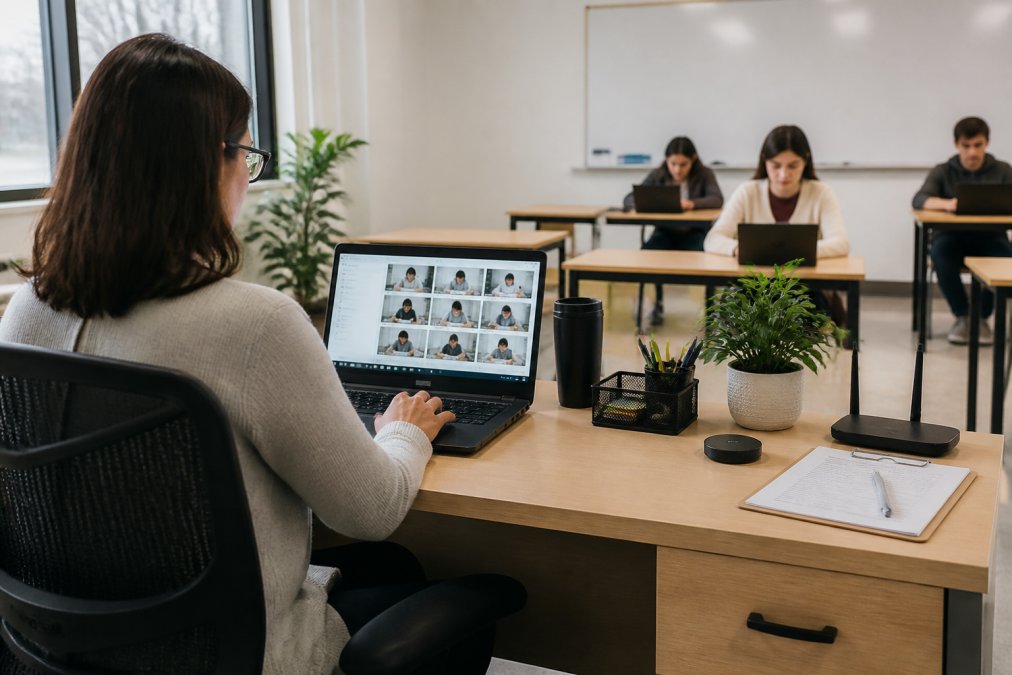
No single tool solves distraction alone, so think in layers.
- Device layer, what the student's machine is allowed to do during the test window
- Browser layer, what the assessment tab can reach and what it can display
- Platform layer, how the assessment itself is structured and delivered
- Human layer, the routines and prompts that keep students oriented
Run a two-minute "tech check" before every online test: notifications off, one browser window open, charger plugged in. Teachers who do this report far fewer mid-exam interruptions than those who don't.
Choosing Between Blocking Tools and Simplifying Tools
Most schools over-invest in blocking and under-invest in simplifying. Blocking tools fight the student's environment; simplifying tools change the assessment so there's less to be distracted by. If you only have budget or training time for one, choose simplification, it works on every device, needs no student cooperation, and raises none of the privacy questions surveillance tools do.
Setting Classroom Expectations and Visual Prompts for Online Exams
Classroom expectations for online exams work best when they're visible, specific, and repeated. Vague instructions like "don't cheat" leave students guessing. Concrete rules remove ambiguity, but the mechanism matters as much as the message.
- [ ] Close every tab except the assessment
- [ ] Put your phone in another room or face-down out of reach
- [ ] Have water, a charger, and scratch paper ready before you start
- [ ] Read the full instructions before answering anything
- [ ] Raise a hand or send a message if something breaks, don't troubleshoot silently
A Two-Minute Pre-Exam Script Teachers Can Reuse
Treat the first two minutes of every online test as part of the assessment, not dead time. A repeatable script keeps the routine consistent across teachers and terms:
- Minute 0:00-0:30, Environment check. "Phones away, tabs closed, charger in. If your camera is on, check your background."
- Minute 0:30-1:00, Tool check. "Confirm you can see the timer and the first question. If not, message me now, not later."
- Minute 1:00-1:30, Rule reminder. Read the two or three rules that matter most for this specific test, not the full policy.
- Minute 1:30-2:00, Question window. "Any clarifying questions before the timer starts?"
Visual Prompts That Actually Change Behaviour
Visual prompts reinforce expectations without repetition. The ones that work share three traits: they sit where the student is already looking, they're specific, and they're consistent across assessments.
- Pinned slide or banner at the top of the assessment, showing the checklist as icons rather than paragraphs
- Timer-adjacent reminder, a short line next to the countdown that names the most common distraction ("Phone stays face-down")
- Pre-exam reminder video under 60 seconds, played while students log in
- Consistent colour coding across all assessments, so students learn to associate one colour with "rules" and another with "questions"
Expectations aren't a poster you put up once. They're a two-minute routine, repeated every test, that makes the right behaviour the default rather than the effortful choice.
Digital Assessment Integrity: Building a Culture of Accountability
Digital assessment integrity is the sum of every decision a school makes about how tests are built, delivered, and reviewed, not a single tool you install or a policy you publish once.
Integrity is a design outcome. If your assessment workflow is consistent and your expectations are visible, most students comply without heavy surveillance.
Accommodations for Neurodivergent Students During Online Testing
Accommodations for neurodivergent students during online testing aren't exceptions to the rules. They make the assessment measure what it's supposed to: knowledge, not a student's ability to tolerate distraction.
- Extended time on timed sections, applied automatically rather than requested each time
- Reduced visual clutter in the assessment interface, with one question per screen
- Movement or sensory breaks built into longer tests
- Text-to-speech or read-aloud options for students with reading difficulties
- Private or low-distraction testing settings, which may mean testing from a quiet room rather than a busy classroom
Post-Test Reflection Protocols That Improve Future Focus
Post-test reflection protocols are the step almost every school skips, and the one that compounds. A short, structured review after each online test turns a one-off event into a feedback loop that improves the next assessment.
- What interrupted your focus during this test? (Noise, notifications, platform issues, anxiety)
- What would have helped? (A quieter space, clearer instructions, more time, a different format)
- What will you change before the next test?
Conclusion
Managing distraction during online testing isn't about willpower or watching students more closely. It's about designing an environment where the test itself is the easiest thing on the screen to pay attention to.
Using Classroom Writer for this workflow
Create a clear task with only the tools students need. Focus-related events provide context for review; a website cannot guarantee attention or identify the contents of another browser tab.
CW supports teacher-designed, cross-subject assessments: short and extended answers, multiple-choice questions, editable tables, graphs, diagrams, drawing, annotation and image labelling. Teachers choose permitted resources, editable areas, timing and clipboard conditions.
Subject tools include the GeoGebra Calculator Suite, Transformation Grid, Maths & Science Canvas, equations and calculators, Music Studio, bounded simulations and selectable simulation libraries. Prepare the tools needed for the task; some specialist tools require teacher setup after an AI-assisted import. Teachers request GeoGebra access, which eligible requests receive automatically; student use is free.
The reusable rubric library supports preparation and teacher review. Portfolio Hub supports longer projects and evidence over time; live Google draft review and related checkpoint features are restricted pilot capabilities, not universal entitlements. The multilingual interface and Training Mode support practice; changing the interface language does not translate authored assessments.
Classroom Writer supports teacher-led assessment creation and import with compatible AI platforms, including ChatGPT, Claude, Gemini, Mistral, Microsoft Copilot Studio and Perplexity. The teacher reviews and approves the proposed materials before delivery. These connections do not mean that a student-facing chatbot is embedded in every assessment, that AI-provider subscriptions are included, or that CW records conversations in external AI services.
Classroom Writer lets teachers set permitted resources and tools, control editable areas and clipboard permissions, and review relevant activity recorded in the assessment workspace. CW is not a plagiarism-matching engine or a definitive AI-authorship detector. Rapid-input and other integrity signals prompt teacher review; they are not proof of AI use or misconduct. These records do not establish what happened in another app, browser tab or device, and do not provide a complete external AI conversation or keystroke history.
Classroom Writer's published offer is a 30-day free trial, rather than a permanent free plan. The current individual teacher prices are $4.99/month or $49/year; school plans start at $39.90/month or $390/year for 10 teacher seats. Check the current plans before purchasing. Third-party AI subscriptions are separate.
Frequently Asked Questions
What is the biggest distraction for students during online exams?
Notifications from messaging apps, social media, and open browser tabs rank highest. A 2023 systematic review found that multitasking during online testing reduces time-on-task and focus retention. Background noise and an unmonitored home environment compound the problem. Setting notification management rules before the exam and using tools that lock the browser to the test window reduce these interruptions significantly.
How do you handle distracted students during virtual assessments?
Start with proactive monitoring: scan participant tiles or activity logs every few minutes. If a student appears off-task, send a private chat reminder rather than calling them out publicly. For repeated distraction, use a structured intervention strategy like a brief one-on-one check-in after the exam. Visual prompts such as a countdown timer on screen and a posted checklist of expected behaviors also help students self-regulate during the test.
What tools help prevent cheating and reduce distraction in online exams?
Lockdown browsers block tab-switching and copy-paste. Proctoring software with AI flags suspicious behavior but raises privacy concerns, so many schools pair lighter monitoring with question randomization and time limits. Platforms that integrate AI writing tools inside a controlled workspace let teachers see revision history rather than guessing whether work is original. Combining these tools with clear classroom expectations gives a stronger result than any single solution.
How can teachers support neurodivergent students who struggle with online test focus?
Offer extended time, allow movement breaks, and reduce visual clutter on the test screen. Some students benefit from having instructions read aloud or broken into smaller steps. A quiet virtual room or a separate breakout session can limit external stimuli. Document these accommodations in advance and share them with the student so they know what support is available before the test begins.