
Table of Contents
- Step 1: Map the Skills You Need to Evaluate
- Listening and Reading: Receptive Skills Online
- Writing and Speaking: Productive Skills Online
- Step 2: Choose Online Language Assessment Tools That Fit Your Classroom
- Step 3: Design Language Assessment Activities for Each Skill
- Building Rubrics That Standardize Scoring
- Step 4: Assess Speaking Skills Online Without Losing Rigor
- Step 5: Use Formative Assessment in Language Learning to Guide Instruction
- Step 6: Close the Loop with Feedback and Data Review
- Step 7: Protect Student Data and Keep Assessments Accessible
- Conclusion
*Last Updated: October 20, 2026*
Step 1: Map the Skills You Need to Evaluate
Most teachers start with the tool. That is backwards. Start with the skills, then pick the tool that fits them.
Online evaluation for language learning breaks into two families.
Each family needs a different method. Reading and listening comprehension can be checked with multiple choice, short answers, or annotation tasks.
We recommend mapping four columns before you open any platform: skill, task type, evidence you will collect, and how you will score it.
Listening and Reading: Receptive Skills Online
Receptive assessment is the easier half to move online. Audio prompts and digital texts are simple to deliver, and responses are quick to collect.
Use short audio clips with comprehension questions. Use annotated readings where students highlight evidence. Keep tasks timed so you measure understanding, not scrolling speed.
Writing and Speaking: Productive Skills Online
Productive skills need more setup. Writing can be collected in a structured workspace with editable areas and clear conditions. Speaking needs recording, storage, and a scoring plan.
Neither skill can be judged by a single number. Plan for rubrics and review time from the start.
Step 2: Choose Online Language Assessment Tools That Fit Your Classroom
The right online language assessment tools match your skills map, your devices, and your school's rules. But "fit" is not a feeling, it is a set of checks you can run before you commit a class to a platform.
Run these checks in order. Stop at the first one that fails; a tool that fails an early check will not be rescued by a long feature list.
- Skill coverage. Does it capture all four skills, or only writing? A platform that handles reading and writing but not speaking forces you into a second tool, a second login, and a second gradebook.
- Response formats. Can students annotate a text, label an image, draw a diagram, record audio, and build a table, or only type into a box? Language evidence is multimodal; a text-only tool quietly narrows what you can assess.
- Delivery controls. Can you set timing, lock editable areas, and restrict clipboard use? These are the conditions that make an online task comparable to a supervised one.
- Scoring support. Is there a reusable rubric library, and can expected answers and marking guidance stay private while student-visible criteria are shown separately? If criteria and answer keys are welded together, you cannot share one without leaking the other.
- Data handling. Which providers process student work, where is it stored, and what consent applies? Ask for the provider list, not a badge.
- LMS fit. Can you share to classes, collect hand-in, and avoid re-uploading files by hand?
The LMS integration check most teachers skip
LMS integration decides whether a tool survives a full term. A platform that does not connect to your learning management system creates double work: you build the task in one place, then rebuild the roster, the deadline, and the grade in another.
Ask three questions before you commit:
- Sharing: Can you push a task to a class or to selected students from your existing course, or must students join a separate space?
- Hand-in: Does student work come back to you inside the LMS, or do you download and re-upload files?
- Gradebook: Does the score flow back automatically, or do you type it in twice?
Be careful: many platforms advertise "LMS integration" when they mean a one-way share link.
Classroom Writer, for example, supports Google Classroom sharing to classes or selected students where enabled and school-authorised, along with Drive-based draft recovery, final-PDF attachment, and student hand-in.
A comparison frame that holds up
Use this table as a screening sheet, not a scorecard. A tool does not need every row, but you should know which rows you are giving up.
| Criterion | What to Check | Why It Matters |
|---|---|---|
| Skill coverage | Supports all four skills, not just writing | Avoids juggling three platforms |
| Response formats | Audio, text, drawing, annotation, tables, image labelling | Matches task to skill |
| Scoring support | Reusable rubric library, private marking guidance, separate student criteria | Keeps scoring consistent without leaking answers |
| Delivery controls | Timing, editable areas, clipboard conditions | Sets fair assessment conditions |
| Data handling | School authority, consent, provider list, jurisdiction | Protects student data |
| LMS fit | Sharing to classes, hand-in, gradebook behaviour | Reduces double work |
| Specialist tools | Subject-specific tools you will actually configure | Avoids paying for unused features |
That last row matters more than it looks. A platform may include specialist tools, simulations, graphing, music composition, portfolio spaces, that require manual teacher setup before they work in a task. That is fine if you will use them, and wasted overhead if you will not.
Step 3: Design Language Assessment Activities for Each Skill
Design each language assessment activity around one skill and one clear evidence type. That rule alone fixes most weak tasks.
Try these formats:
- Listening: short audio plus three comprehension questions
- Reading: a text with annotation and two inference questions
- Writing: an extended answer with a visible rubric
Keep tasks short. A five-minute task scored well beats a twenty-minute task you never finish marking.
Building Rubrics That Standardize Scoring
Rubrics are the backbone of fair online scoring. Build them before you build tasks.
A workable language rubric has three to five criteria, each with clear level descriptions. For speaking, that might be fluency, pronunciation, vocabulary range, and task completion.
Store rubrics in a reusable library so every teacher scores the same way. Classroom Writer's rubric library supports preparation and teacher review, and you can keep expected answers and marking guidance private while showing students the criteria you choose.
Step 4: Assess Speaking Skills Online Without Losing Rigor
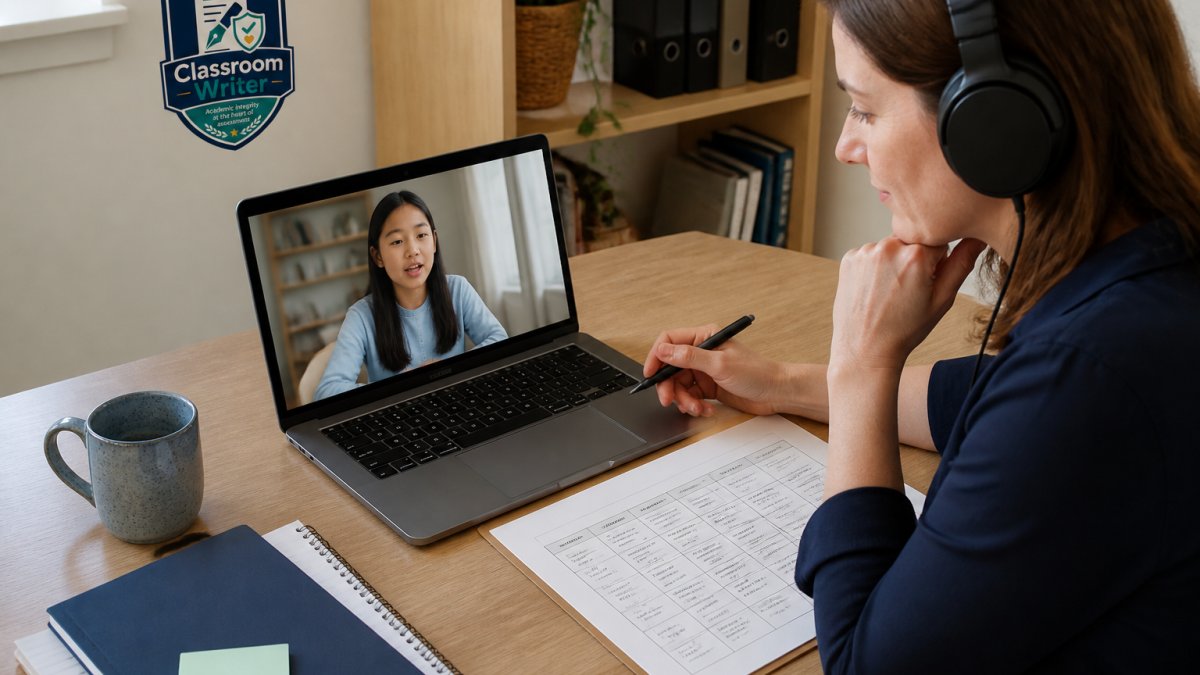
Assessing speaking skills online works when four things are fixed: the prompt, the preparation conditions, the recording, and the rubric. Remove any one and scoring drifts.
Fix the prompt and the conditions
Give every student the same prompt and the same preparation time. If one student gets five minutes to plan and another gets thirty seconds, you are measuring preparation, not speaking.
Write the prompt so it produces comparable language.
Decide in advance whether students may use notes. If notes are allowed, say how many and in what form. If they are not, say so in the task instructions, not on the day.
Capture a recording you can actually score
Collect a recorded response so you can replay it. Live scoring in a busy room is unreliable; a recording lets you listen twice and compare students against the same standard.
Before assessment day, test the recording setup end to end: microphone, storage, playback, and where the file lands.
Keep recordings short. A 60-90 second response scored carefully beats a five-minute monologue you never finish reviewing. Short recordings also make it practical to re-score a sample later.
Score with a calibration routine, not from memory
Score with the rubric, not from memory. Two practical habits raise rigor:
- Score one criterion across all students before moving to the next. Score fluency for the whole class, then pronunciation for the whole class, then vocabulary range. This stops one strong student's fluency from inflating their pronunciation score.
- Re-score a sample a week later. Pull five recordings you scored early and score them again without looking at your first marks. If the two scores diverge by more than one band, your rubric levels are too vague, tighten the descriptions.
A third habit helps in departments: have a colleague score the same sample independently and compare. You do not need perfect agreement; you need to find the criteria where you disagree, because those are the criteria students will contest.
Oral demonstration beyond the recorded monologue
Not every speaking assessment needs a solo recording. Oral demonstration formats give different evidence:
- Paired or group discussion. Two students discuss a prompt while you observe against a discussion rubric. This assesses interaction, turn-taking, responding, negotiating meaning, that a monologue cannot show.
- Presentation with Q&A. A short prepared talk followed by two or three unscripted questions separates prepared fluency from spontaneous fluency.
- Read-aloud and retell. A short passage read aloud, then retold in the student's own words, isolates pronunciation from comprehension.
Each format needs its own rubric. Do not score a discussion with a monologue rubric; you will penalize students for doing what you asked.
Remote administration
For remote administration, setup checks matter more, not less. Test the recording setup before assessment day, confirm the student's microphone works, and give a clear window for technical failure that does not consume assessment time. Put the fallback plan in the task instructions so students are not improvising under pressure.
Step 5: Use Formative Assessment in Language Learning to Guide Instruction
Formative assessment in language learning is the check you run during teaching, not after it. Its job is to change what you do next week.
Use low-stakes tasks: a two-question listening check, a one-paragraph writing sample, a short recorded answer. Score them quickly and look for patterns.
Then act on the data:
- If most students miss the same item, reteach it.
- If a few students struggle, group them for targeted support.
- If the class is ready, move on.
This is data-driven instruction in its simplest form. It does not need a dashboard.
Step 6: Close the Loop with Feedback and Data Review
Feedback only counts when students use it. Plan the loop before you deliver the task.
A simple loop looks like this:
- Score against the rubric.
- Write two specific comments: one strength, one next step.
- Return work with time in class to act on it.
- Re-check the same skill in the next task.
Track results across tasks so you can see progress, not just a single grade. Keep a simple record of skill, task, and score band. Patterns appear fast.
Step 7: Protect Student Data and Keep Assessments Accessible
Two duties sit under every online assessment: protect student data and keep the task accessible.
On data, follow your school's authority and policy first. Ask which providers process student work, where data is stored, and what consent applies. Classroom Writer's compliance position depends on actual processing, the providers enabled, and the relevant jurisdiction, so check your own school's requirements rather than assuming a blanket standard.
On accessibility, build options into the task:
- Allow extra time where your policy supports it.
- Offer audio and text versions of instructions.
- Use clear fonts and uncluttered layouts.
Neurodivergent learners often benefit from predictable task structure and short, chunked instructions. These changes help every student.
Frequently Asked Questions
What are online evaluation tools for language learning?
Online evaluation tools are digital platforms that let teachers deliver, score, and review language assessments remotely or in class. They support listening comprehension, reading fluency, writing assessment, and oral response tasks, often with rubrics, audio prompts, and automated scoring for objective items. Good tools keep teacher review central, store student performance metrics, and integrate with a virtual classroom or LMS so results feed data-driven instruction rather than sitting in a separate silo.
How can teachers assess speaking skills online?
Use recorded oral response tasks: short prompts, picture descriptions, or role-play scenarios that students record and submit. Score with a rubric covering fluency, pronunciation, vocabulary, and task completion. Keep recordings short (60-90 seconds) so review stays manageable, and give students the rubric before they record. For live checks, schedule short telepractice-style conferences. Always review recordings yourself; automated speech scoring can support but not replace teacher judgment on assessing speaking skills online.
How can online tools assess listening and reading?
Listening comprehension tasks can embed audio prompts with multiple-choice or short-answer questions, while reading fluency and comprehension can use timed passages, annotation tasks, and inference questions. Digital assessment platforms often auto-score objective items, giving immediate student performance metrics. For deeper skill evaluation, pair auto-scored items with one extended response that you review against a rubric. This mix keeps marking load reasonable while still capturing diagnostic detail.
How should teachers use assessment results to guide language learning?
Treat results as formative assessment in language learning, not just a grade. After each assessment, group students by skill gap (for example, listening for detail versus writing cohesion), then adjust the next week's activities. Share one specific next step with each learner rather than a general comment. Review item-level data to spot poorly worded questions. This feedback loop turns assessment delivery into data-driven instruction and supports learner outcomes more than a single summative evaluation at term end.
---
Language assessment online is not a tool problem. It is a design problem: map the skills, match the task to the skill, score with rubrics, and close the feedback loop. Classroom Writer gives you a workspace to do that in one place, with structured response formats, a reusable rubric library, delivery conditions you control, and school-authorised sharing to classes. Start your 30-day free trial and build your first four-skill assessment this week.