
Quick Comparison: Digital Writing Platforms for Secondary Students
Choosing digital writing platforms for secondary students comes down to matching the tool to the writing problem you're solving. Some platforms excel at grammar drills, others at collaborative drafting or creative publishing, and none of them do everything well. This guide from Classroom Writer breaks down nine platforms by their actual strengths so you can stop guessing and start assigning.
Below, we'll show you exactly how each option performs in a real classroom, where it falls short, and which one fits your department's workflow. The quick table gives you the short version first.
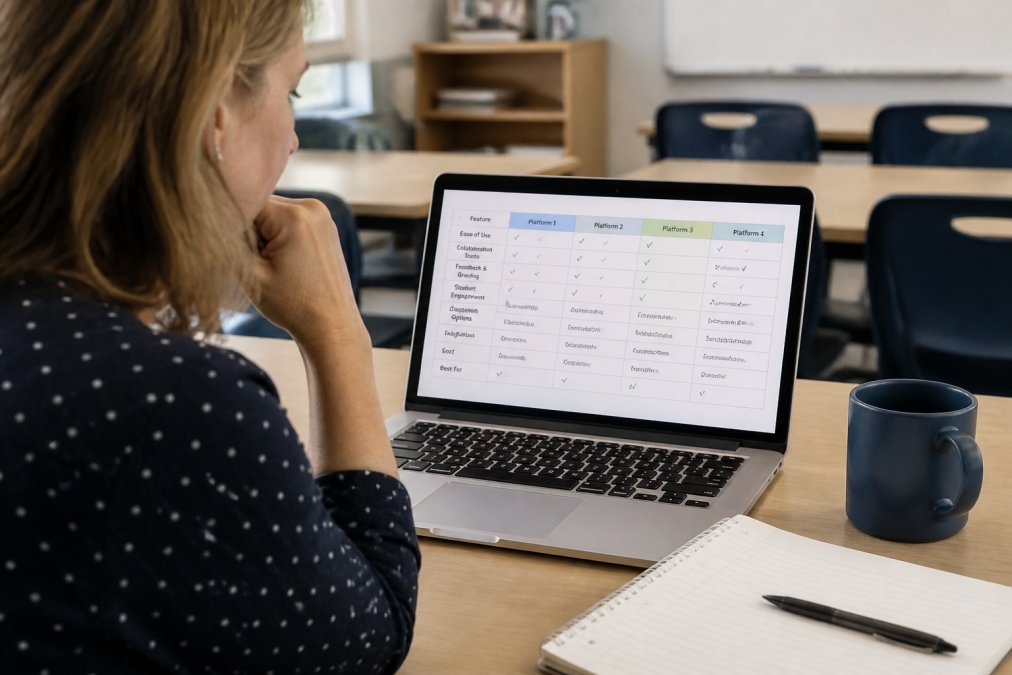
| Platform | Best For | Free access or trial | Standout Feature |
|---|---|---|---|
| Classroom Writer | Academic integrity and assessment | 30-day trial | Teacher-led AI creation; cross-subject response formats and tool permissions |
| Quill.org | Grammar and mechanics | Yes | AI-powered writing feedback |
| Google Docs | Collaborative editing | Yes | Real-time co-editing |
| Read&Write | Accessibility support | Yes (teachers) | Text-to-speech tools |
| Wattpad | Creative expression | Yes | Global publishing audience |
| Write the World | Peer review | Yes | Moderated teen community |
| Grammarly | Revision and fluency | Yes | Real-time grammar checks |
| Hemingway Editor | Concise prose | Yes | Readability scoring |
| Teen Ink / 826 Digital | Publishing and curriculum | Yes | Editorial review and lesson plans |
How We Evaluated These Platforms
We scored each platform on five criteria: academic integrity features, ease of integration with existing school workflows, accessibility support, feedback quality, and cost. A platform that ignores data privacy or forces a heavy training load loses points, no matter how many features it lists.
The biggest mistake schools make is adopting a tool because it's popular rather than because it solves a specific writing problem. A grammar drill platform won't fix weak revision habits, and a publishing site won't help you run a timed assessment.
Using Classroom Writer for this workflow
For writing, combine selected editable areas, clear criteria and teacher-controlled resources. For cross-subject work, extend the same task with diagrams, data tables, mathematics or musical evidence rather than treating CW as only an essay editor.
CW supports teacher-designed, cross-subject assessments: short and extended answers, multiple-choice questions, editable tables, graphs, diagrams, drawing, annotation and image labelling. Teachers choose permitted resources, editable areas, timing and clipboard conditions.
Subject tools include the GeoGebra Calculator Suite, Transformation Grid, Maths & Science Canvas, equations and calculators, Music Studio, bounded simulations and selectable simulation libraries. Prepare the tools needed for the task; some specialist tools require teacher setup after an AI-assisted import. Teachers request GeoGebra access, which eligible requests receive automatically; student use is free.
The reusable rubric library supports preparation and teacher review. Portfolio Hub supports longer projects and evidence over time; live Google draft review and related checkpoint features are restricted pilot capabilities, not universal entitlements. The multilingual interface and Training Mode support practice; changing the interface language does not translate authored assessments.
Classroom Writer supports teacher-led assessment creation and import with compatible AI platforms, including ChatGPT, Claude, Gemini, Mistral, Microsoft Copilot Studio and Perplexity. The teacher reviews and approves the proposed materials before delivery. These connections do not mean that a student-facing chatbot is embedded in every assessment, that AI-provider subscriptions are included, or that CW records conversations in external AI services.
Classroom Writer lets teachers set permitted resources and tools, control editable areas and clipboard permissions, and review relevant activity recorded in the assessment workspace. CW is not a plagiarism-matching engine or a definitive AI-authorship detector. Rapid-input and other integrity signals prompt teacher review; they are not proof of AI use or misconduct. These records do not establish what happened in another app, browser tab or device, and do not provide a complete external AI conversation or keystroke history.
Classroom Writer's published offer is a 30-day free trial, rather than a permanent free plan. The current individual teacher prices are $4.99/month or $49/year; school plans start at $39.90/month or $390/year for 10 teacher seats. Check the current plans before purchasing. Third-party AI subscriptions are separate.
Quill.org targets grammar instruction and writing mechanics directly, which makes it a natural fit for middle school curriculum and high school writing remediation. Students work through interactive exercises while AI-powered feedback corrects them in real time, and teachers track progress across the class.
The platform aligns with common core standards, so you can slot activities into an existing unit without rebuilding your scope and sequence. It handles sentence combining, punctuation, and vocabulary acquisition well.
Where it falls short: Quill is narrow by design. Assign it for mechanics practice, not for narrative development or long-form essays.
Google Docs: Best Free Option for Collaborative Editing
Google Docs remains the default for real-time collaboration because it's free, cloud-based, and already tied to Google Classroom. Students co-edit in the same document, leave comments, and track version history, which makes peer review and drafting process work genuinely easier.
Teachers who want scaffolding can use comment threads as a lightweight teacher feedback loop. The revision cycle becomes visible, not invisible.
The drawback is structural: Google Docs has no built-in rubric-based grading, no grammar instruction, and nothing to stop a student pasting in AI-generated text. You supply the pedagogy; the tool just holds the page.
Read&Write: Best for Accessibility and Inclusive Learning
Read&Write is a literacy support toolbar built for inclusive education. Text-to-speech and speech-to-text functions let students with dyslexia or English language learners engage with the same assignments as their peers, while word prediction reduces the friction of getting words onto the page.
Screen masking helps students with attention difficulties focus on one line at a time. Vocabulary and dictionary tools support vocabulary acquisition without leaving the document.
The catch: full functionality usually requires institutional licensing, so budget accordingly. Teachers get free access, but students often need a school-wide subscription.
Wattpad and Write the World: Best for Creative Expression and Peer Review
Wattpad and Write the World both push students toward creative expression, but they are not interchangeable, and the difference is not just 'one is safer.' The difference is who owns the publishing decision, who moderates the comments, and what data the platform collects from minors. Those three questions determine whether your district will approve the tool at all.
Wattpad is a global publishing platform with hundreds of millions of registered users. Students publish chapters, build a follower base, and receive comments from strangers. For a motivated teen writer, that audience is genuinely motivating, the feedback loop is real and immediate. But Wattpad is a consumer product, not an education product. It is not designed around FERPA or COPPA, it does not offer a school admin tier, and its content moderation is reactive rather than proactive. Age-appropriate content varies widely across genres, and the comment sections are not filtered for a school audience.
If you use Wattpad, treat it as an optional enrichment activity for students 13 and older with written parent permission, not as a class-wide assignment.
A practical comparison for the approval conversation:
| Question | Wattpad | Write the World |
|---|---|---|
| Designed for schools | No | Yes (school program) |
| Age minimum | 13 | 13 |
| Moderation model | Reactive | Proactive |
| Private class groups | Limited | Yes |
| Data privacy posture | Consumer terms | Education-oriented |
Before requesting approval for either platform, pull the current privacy policy and terms of service and hand them to your district's technology review committee. Most delays in approving creative writing platforms come from missing documentation, not from the platform itself.
The unique angle competitors miss: creative writing platforms are where secondary students are most likely to publish under their real names to a public audience. That makes them the highest-risk category in this entire list from a data privacy standpoint. If your district has not yet built a process for reviewing student publishing tools, this is the category that should trigger one.
Grammarly and Hemingway Editor: Best for Revision and Writing Fluency
- Draft freely in Google Docs or the platform of choice, no grammar tool active.
- Run Grammarly for a correctness pass. Students accept or reject each suggestion and write one sentence in a revision log explaining the most common error type they saw.
- Run Hemingway for a style pass. Students target a specific score (usually two grade levels above their actual grade) and revise the three longest sentences.
- Submit with the revision log attached so the teacher sees the process, not just the product.
Neither tool teaches revision on its own. Grammarly will happily rewrite a student's sentence for them if they click 'accept' without reading, and Hemingway will flag every adverb in a piece of creative writing where adverbs are doing legitimate work. Set a rule: students must read the explanation before accepting any suggestion.
LMS and privacy notes. Grammarly integrates with Canvas, Schoology, and Google Classroom through its education offering, and the school tier includes an admin dashboard for managing student accounts. Hemingway Editor does not integrate with any LMS, it is a standalone web or desktop tool, which means students copy text in and out manually. On privacy, Grammarly's school product is designed around FERPA and COPPA requirements, but the free consumer version is not; if students under 13 are using it, the school needs the education tier. Hemingway Editor processes text locally in the desktop app and in-browser in the web version, which makes it the lower-risk option for districts with strict data rules.
Teen Ink and 826 Digital: Best for Publishing and Curriculum Resources
Teen Ink and 826 Digital round out the list because they solve two different problems. Teen Ink gives aspiring teen writers a real submission and publishing path, complete with editorial review and print or digital magazine options. It builds a portfolio students can point to.
---
Frequently Asked Questions
What is a good writing platform for students?
How do digital writing platforms improve student writing outcomes?
Digital writing platforms improve outcomes by providing immediate feedback, tracking progress, and supporting revision cycles. Tools like Quill.org offer AI-powered grammar feedback, while Grammarly checks tone and clarity. Research shows that frequent, low-stakes writing with timely feedback builds writing fluency. Platforms that support drafting and revision workflows help students internalize the writing process, leading to stronger literacy skills over time.
Can digital writing platforms help with academic integrity?
Classroom Writer supports reusable rubrics, private marking guidance and teacher-selected assessment content. Teachers can make appropriate criteria visible to students and review the resulting work. A displayed marks total or scoring summary is not automatic marking of student answers. CW does not automatically apply an AI rubric to each submission or promise instant AI-generated grades and feedback.
What features should educators look for in a secondary writing platform?
Prioritize features that align with your teaching goals: grammar and mechanics support, collaborative editing, accessibility tools like text-to-speech, and LMS integration. For assessment, look for rubric-based grading, formative assessment capabilities, and academic integrity features. Pricing models vary; many offer free tiers for teachers. Consider ease of use, data privacy compliance (COPPA/FERPA), and whether the platform supports differentiated instruction for diverse learners.